Paper registers and Excel sheets break down when edits leave no trace, totals are typed by hand and salary disputes cannot be settled. A good system locks attendance once saved, works out payroll from that attendance, keeps documents private and records who changed what.
Where the old way fails
- Edits leave no trace. A changed cell or pencil mark cannot be audited later.
- Totals are typed by hand. Paid days, overtime and deductions are re-keyed into a sheet, so one slip changes someone's salary.
- Disputes are hard to settle. Without a record of who marked what and when, it becomes one person's word against another's.
- Everyone sees everything, including salaries and ID documents.
- Multiple branches, multiple formats. The owner cannot compare sites without chasing each manager.
What a system should do
- Mark attendance once, then lock it. Only an authorised person such as the owner or HR can edit a locked entry.
- Handle shifts. Day and night shifts per employee, because night staff are often marked later.
- Calculate payroll from attendance. Paid days, base pay, overtime, bonus, deductions and advances roll into net payable, in draft first and finalised after review.
- Produce payslips and exports for each employee and for your accountant.
- Control access by role. Branch managers see their own staff; HR and the owner see more. Store ID proofs and contracts privately.
- Move requests into the app, so that changes are approved and recorded rather than agreed on a call.
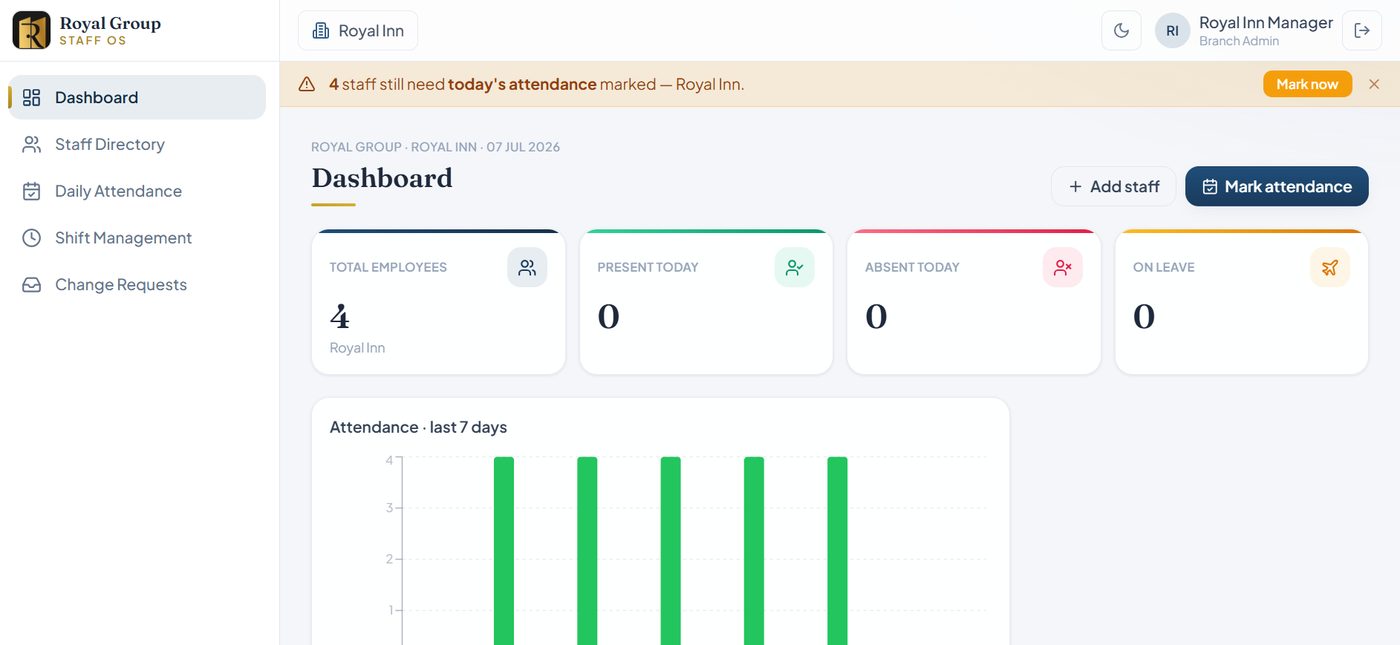
Check before you switch
- Your pay rules. Decide how paid days, weekly offs, leave, overtime and advances work before configuring anything. We set these rules per business.
- Statutory compliance. Provident fund, ESI, professional tax and similar rules differ by employer size and state. Confirm what you must file with your accountant or a compliance specialist. Staff OS prepares attendance and payroll figures with CSV export; it does not claim to file statutory returns.
- Who owns the data. You should be able to export it at any time.
- A parallel run. Run the old and new together for one month and compare.
Factories and hotels share the problem
Both run shifts, overtime and daily staffing changes. The same attendance and payroll logic that works for a hotel branch fits a factory floor with day and night shifts. See every feature on our Products page, or ask for a free audit to see what fits your unit.
Frequently asked questions
Is software worth it for 20 staff?
If someone spends hours each month on attendance and salary, or disputes happen, yes. At very small sizes a well-made sheet with a locked copy each month can also work.
Does software handle PF and ESI filing?
Not by default. Many payroll tools prepare figures but filing rules depend on your situation. Confirm with your accountant.
Keep reading
Want this done for your business?
Send a few details and get a free audit with a clear plan and a price. No obligation, and no promise of rankings that nobody can honestly make.
Get a free audit